One Infinite Loop
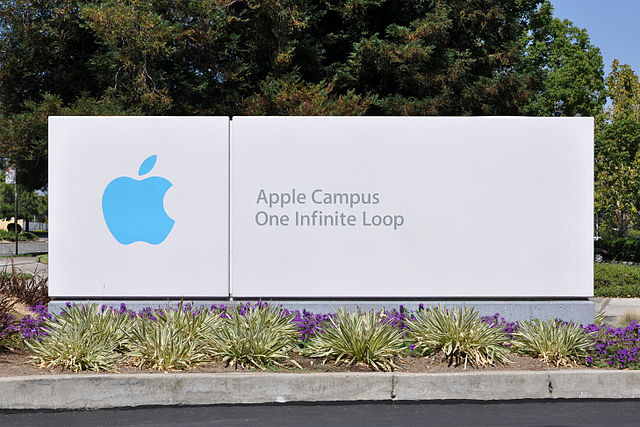
Fun Fact: The address of Apple HQ is
1 Infinite Loop
Cupertino, CA 95014
Image from the Wikimedia Commons, licensed under the Creative Commons Attribution-Share Alike 3.0 Unported license. Attribution: Joe Ravi
Computers are like robots. They are good at doing things over and over and over and over again.
A LOOP is when we ask a program to do something many times.
The simplest loop in JavaScript is while.
while (someCondition) {
    someAction()
}
In English this reads, "While some condition is true, do some action".
If you want something to keep going forever, set condition to true:
while (true) {
  console.log("Hello")
}
This means "While true is true, say 'Hello'". Obviously true will always be true, so it goes forever.
To stop it, hold down the CONTROL key and press the C key.
This is called an infinite loop.
Note well! The lines between { and } are INDENTED. Indentation is very important to you and other humans. It lets our eyes follow the patterns and helps us quickly see what parts of the program go with each other.
Fun Fact: The address of Apple HQ is
1 Infinite Loop
Cupertino, CA 95014
Image from the Wikimedia Commons, licensed under the Creative Commons Attribution-Share Alike 3.0 Unported license. Attribution: Joe Ravi
Let's write a program that counts from 0 to infinity. Put this in a file called count.js.
let count = 0;
while (true) {
    console.log(count);
    count = count + 1;
}
Run the program with node count.js.
Remember, CONTROL-C means "Stop everything!!!"
Next, we will change your count.js program so that it only counts to 100.
Please try this yourself! But it's kind of tricky, so on the next slide I'll show you one solution.
let count = 1;
while (count <= 100) {
    console.log(count);
    count = count + 1;
}
Did you find a solution? Did your program stop at 100 or 99?
whileThe while statement keeps checking the expression
true then it loops backfalse then it stops looping and goes on to the rest of the programThis is fairly complicated, so let's stop here and make sure to understand everything that's happening in this little program.
while breakdown (pt.1)let count = 1
creates a variable named count and sets its value to 1.
while (count <= 100)
starts a loop and immediately compares count to 100.
1 is less than 100, so the expression is true, so we continue with the block of code starting with the {.
while breakdown (pt.2) console.log(count);
prints the current value of count.
count = count + 1
increments the count variable... it was 1, so now it's 2
}
goes back to the while line and checks again
while breakdown (pt.2)while (count <= 100)
compares count to 100.
2 is less than 100, so the expression is true, so we continue with the loop.
Eventually, count becomes 101, and the while expression is false, and so we stop looping and go on.
break dancingThe magic word break stops a loop immediately.
Here's a more verbose way of counting to 100:
let count = 0;
while (true) {
    console.log(count);
    count = count + 1;
    if (count > 100) {
        break;
    }
}
Remember this poem?
1 potato,
2 potato,
3 potato,
4!
5 potato,
6 potato,
7 potato,
More!
Please write a program called potato.js that prints that poem, using loops.
(No, you can't just print the entire poem as a single string; that would be cheating.)
Remember, there's always more than one solution to any problem! Don't get fixated on finding the One Right Answer.
"The strategy is definitely: first make it work, then make it right, and, finally, make it fast." - Brian Kernighan, creator of the C programming language
In the next slides we will examine several different ways to write the One Potato program.
Note: changing the design of a program that's already working correctly is called refactoring
The first thing we'll do is decompose the problem into two smaller problems:
Decomposition is one of the most important skills in programming. It lets you focus.
Also known as "*divide and conquer*".
Introducing a function is the most straightforward way to embody a smaller task.
Modular Decomposition song by Eric Siegel, Ph.D.
Functional decomposition is also a great way to write a program that you haven't quite figured out yet.
When you reach a step that you don't know how to do, or just don't want to think about right now, call a function that you haven't written yet.
Then later on -- only after the parent function is written -- go back and make the faked-out function work.
Let's separate formatting from counting.
This function does one thing only: create the correct string for a given line number.
function poemLine(lineNumber) {
    if (lineNumber === 8) {
        return "More!"
    } else if (lineNumber === 4) {
        return "4!"
    } else {
        return "" + lineNumber + ","
    }
}
Now that we have an isolated formatting function, let's look at different ways to do looping.
while truelet i = 1;
while (true) {
console.log(poemLine(i));
i = i + 1;
if (i > 8) {
break;
}
}
whilelet i = 1;
while (i <= 8) {
console.log(poemLine(i));
i = i + 1;
}
forJavaScript inherited for(;;) from C; it's cumbersome and confusing but you should learn to recognize it.
for (var i=0; i < 8; i++) {
  console.log(poemLine(i));
}
| phrase | meaning |
|---|---|
for |
in a loop, |
var i |
make an index variable named i
|
i=0 |
and initially set it to 0
|
i < 8 |
then, as long as i is less than 8
|
{ ... }
|
execute this block of code |
console.log(poemLine(i)) |
(which prints the i+1th potato message) |
i++ |
and then increment i before the next time through |
Note that
i++is executed after theconsole.log(the "body") and before the secondi<8(the "condition").
for..ofThe for..of loop was added to JavaScript fairly recently. It loops over an array and hides the messy details of initializing and incrementing a counter:
const lineNumbers = [1, 2, 3, 4, 5, 6, 7, 8];
for (let lineNumber of lineNumbers) {
  console.log(poemLine(lineNumber));
}
A prime number is one that is only divisible by itself and 1.
The goal of this lab is to print all (and only) the prime numbers between 2 and 100.
To do this, your code will probably need to use one or the other, or both, of these:
Please try this now; if you get stuck, the next few slides have some tips.
use the isDivisible function you wrote back in the functions lesson
Write a function named isPrime that takes one parameter, and returns true if that number is prime.
This function pretends that every number is prime:
function isPrime(number) {
    return true;
}
First write your code assuming that isPrime works correctly...then once the rest of the program is working, come back and focus on the smaller problem of finding out if a given number is prime.
write a main loop that counts from 2 to 100; inside that loop, call isPrime and print the number if isPrime is true
Exercisms:
/